Top 15 Hidden MB WhatsApp Features You Must Try in 2026
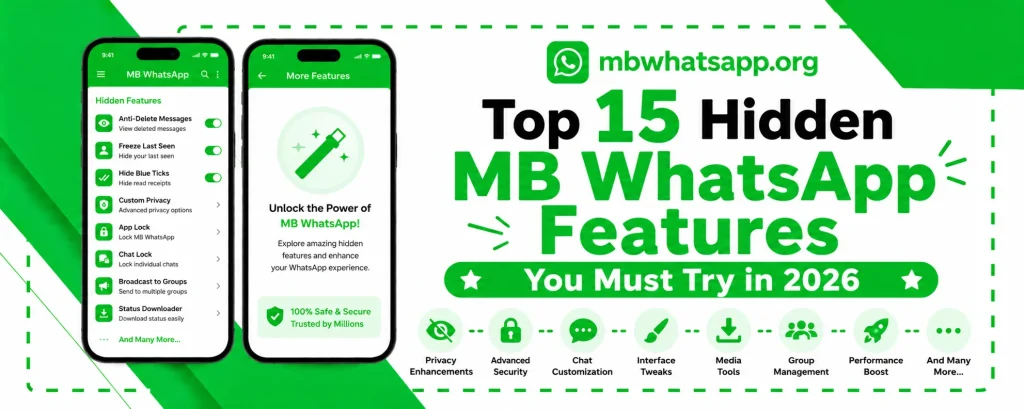
MB WhatsApp is packed with features, but many users only scratch the surface of what the app can do. Beyond the well-known privacy controls and theme options, MB WhatsApp hides a treasure trove of lesser-known capabilities that can dramatically improve your messaging experience. This guide from mbwhatsapp.org reveals the top 15 hidden features you should try right now.
1. Message Translator
MB WhatsApp includes a built-in message translator that can translate received messages directly within the chat window. Long press any message and look for the Translate option. This is incredibly useful for communicating with contacts who speak different languages.
2. Custom Chat Backgrounds Per Contact
While most users know about changing the global chat background, few realize MB WhatsApp lets you set a unique background for each individual contact. Open any chat, tap the three-dot menu, and select Custom Wallpaper to set a contact-specific background.
3. Send Messages Without Saving Contact
You can send a WhatsApp message to any number without first saving it to your contacts. In MB WhatsApp, tap the new chat icon and look for the option to message an unsaved number. Enter the full number with country code and start chatting immediately.
4. Bubble Style Customization
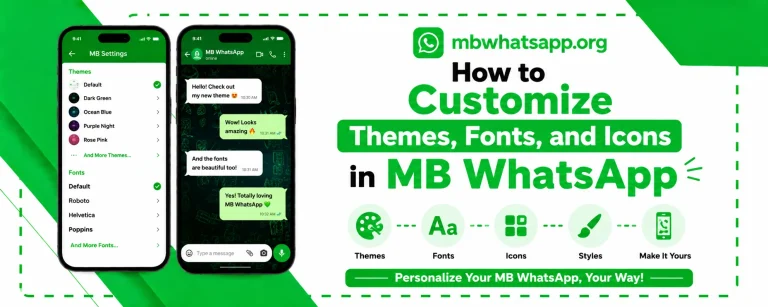
Chat bubbles in MB WhatsApp can be completely restyled. Change the shape from rounded to square, adjust their size, modify the tail direction, and even add borders. Access this through MB WhatsApp Settings under Conversations and then Bubble Style.
5. DND Mode
Do Not Disturb mode in MB WhatsApp is more advanced than the standard phone DND. When activated within the app, MB WhatsApp will not sync new messages while you are busy. This prevents the message delivery indicators from activating on the sender’s side, giving you true undisturbed time.
6. Message Recall Override
When someone uses the Delete for Everyone feature on a message sent to you, MB WhatsApp can still show you that message. This feature works alongside the anti-delete functionality covered elsewhere, but the recall override specifically addresses the technical mechanism WhatsApp uses to delete messages remotely.
7. Media Auto-Download Scheduling
Rather than always auto-downloading media or never downloading it, MB WhatsApp allows you to schedule when auto-downloads occur. Set it to only run during WiFi hours or overnight to manage your data and storage usage efficiently.
8. Copy Text from Images
MB WhatsApp includes an OCR-based text extraction feature that allows you to copy text from images sent to you in chat. Long press an image and select Extract Text to get a copyable text version of any text visible in the image.
9. Chat Statistics
Curious about your messaging habits? MB WhatsApp tracks detailed chat statistics. See how many messages you have exchanged with each contact, the total number of media files shared, and even your most active conversation hours.
10. Password-Protected Backup
For extra security, MB WhatsApp allows you to encrypt your local backup file with a password. Only someone who knows the password can access the backup data, protecting your conversations even if someone gains access to your device storage.
11. Scheduled Status Updates
Plan your WhatsApp status updates in advance. MB WhatsApp lets you write status updates and schedule them to post at specific times. This is perfect for announcements, daily inspiration, or coordinated group messages.
12. Floating Chat Bubbles
Enable floating chat bubbles to keep conversations accessible without switching apps. When this feature is active, incoming messages appear as floating bubbles on your screen that you can tap to reply without leaving whatever app you are using.
13. Custom Notification Sounds Per Contact
Set a unique notification sound for each of your contacts. This allows you to identify who is messaging you without looking at your phone. Go into a specific contact’s info page within MB WhatsApp to find the custom notification option.
14. Download Status Without Saving to Gallery
MB WhatsApp includes a status downloader that lets you save someone’s WhatsApp status photo or video to a designated folder that does not appear in your phone’s gallery. This keeps your gallery clean while still preserving status content you want to keep.
15. Conversation Pinning with Notes
Beyond the standard pin conversation feature, MB WhatsApp lets you add private notes to pinned conversations. These notes are visible only to you and can serve as reminders, context, or annotations attached to any chat.
Quick Reference: Hidden Features Summary
| Feature | Where to Find It |
| Message Translator | Long press any message |
| Per-contact wallpaper | Chat three-dot menu |
| Message to unsaved number | New chat icon |
| Bubble style | MB WA Settings > Conversations |
| DND Mode | Quick settings or MB WA Settings |
| Chat statistics | MB WA Settings > Account |
| Encrypted backup | Chat Backup settings |
| Floating bubbles | Notifications in MB WA Settings |
Frequently Asked Questions
Q1: Are all 15 features available in the latest MB WhatsApp version?
Yes. All features listed in this guide are available in the current version of MB WhatsApp. Download the latest release from mbwhatsapp.org to access all of them.
Q2: Do these hidden features affect app performance?
Most of these features have negligible impact on performance. Features like floating bubbles and DND mode are the only ones that run continuously in the background, and even these are optimized for minimal resource usage.
Q3: Can I use multiple hidden features simultaneously?
Yes. Most of these features operate independently and can all be active at the same time without conflict.
Q4: Will the message translator feature work offline?
The message translator requires an internet connection as it uses an online translation service to process the text.
Q5: How do I access MB WhatsApp’s full settings menu?
Tap the three-dot menu in the top right corner of the app and select MB WhatsApp Settings. This settings panel contains all the additional MB WhatsApp options not found in the standard WhatsApp settings menu.
Conclusion
MBWhatsApp APK is far more powerful than most users realize. From translating messages to encrypted backups and floating chat bubbles, the hidden features explored in this guide add tremendous value to your daily messaging experience. Explore them all by downloading the latest version from mbwhatsapp.org and take full advantage of everything MB WhatsApp has to offer.