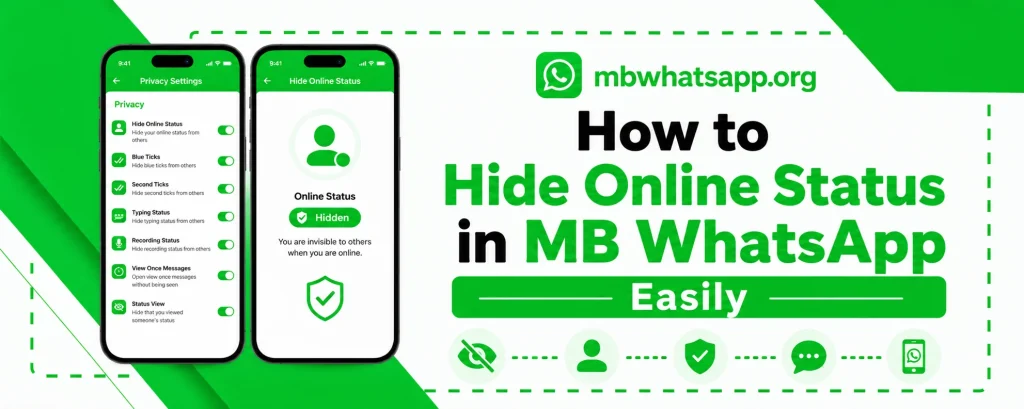
How to Hide Online Status in MB WhatsApp Easily
One of the most sought-after privacy features in any messaging app is the ability to control who can see you online. MB WhatsApp makes this easier and more flexible than any other messaging platform. This step-by-step guide from mbwhatsapp.org explains exactly how to hide your online status in MBWhatsApp APK, with options for every level of privacy you might need.
Why Hide Your Online Status?
There are many legitimate reasons why someone would want to hide their online status. You might want to check messages without feeling pressured to respond immediately. You may want to browse chats privately without colleagues or family members knowing you are available. Whatever the reason, MB WhatsApp gives you complete control.
Methods to Hide Online Status in MB WhatsApp
| Method | What It Does | Who It Affects |
| Hide from Everyone | No one can see you are online | All contacts |
| Hide from Specific Contacts | Selected people cannot see your status | Custom list |
| Ghost Mode | Hides all activity indicators simultaneously | All contacts |
| Freeze Last Seen | Shows a static timestamp | All contacts |
Step-by-Step: Hide Online Status from Everyone
- Open MB WhatsApp on your Android device
- Tap the three vertical dots in the top right corner
- Select MB WhatsApp Settings from the menu
- Scroll down and tap on Privacy
- Look for the Online Status option
- Select Hide from Everyone
- Tap Save or confirm the setting
Once this setting is active, none of your contacts will be able to see when you are currently online.
Step-by-Step: Hide Online Status from Specific Contacts
If you do not want to hide from everyone but need to maintain privacy from certain individuals:
- Follow the same path to Privacy settings as above
- Choose Hide from Specific Contacts
- A contact list will appear — select the contacts you want to hide from
- Confirm your selection and save the setting
You can add or remove contacts from this list at any time without affecting other privacy settings.
Using Ghost Mode to Hide Online Status
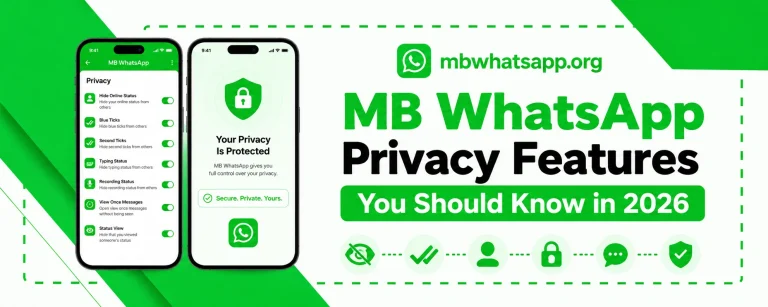
Ghost Mode is MB WhatsApp’s most comprehensive privacy tool. Enabling it hides your online status along with read receipts, typing indicators, and recording status all at once. To enable Ghost Mode:
- Go to MB WhatsApp Settings
- Select Privacy and scroll to find Ghost Mode
- Toggle Ghost Mode on
- Choose whether to keep it permanently on or schedule specific hours
Freezing Your Last Seen Status
Freezing your last seen is a complementary feature to hiding online status. Even when you are actively using the app, the frozen last seen timestamp will not update. This creates an additional layer of privacy:
- Go to Privacy settings in MB WhatsApp
- Find the Freeze Last Seen option
- Enable it to lock your last seen to the current time
- The timestamp will remain fixed regardless of your app usage
Combining Privacy Features for Maximum Effect
For users who want the highest level of privacy, combining multiple features provides the best result:
- Enable Hide Online Status set to Everyone
- Enable Freeze Last Seen
- Disable Blue Ticks in privacy settings
- Turn on Ghost Mode during hours when you need absolute privacy
- Use individual chat locks for particularly sensitive conversations
Frequently Asked Questions
Q1: If I hide my online status, can I still see others’ online status?
Yes. Hiding your own online status in MB WhatsApp does not prevent you from seeing the status of other users. You will still see online indicators for your contacts as normal.
Q2: Will hiding my online status affect message delivery?
No. Hiding your online status is purely a visual privacy control. Messages will still be delivered and received normally, and the app will function exactly as expected.
Q3: Can I schedule online status hiding for specific times?
Yes. MB WhatsApp’s Ghost Mode includes a scheduling feature that allows you to automatically activate privacy settings during specific hours, such as work hours or nighttime.
Q4: Does hiding online status also hide the typing indicator?
Not automatically. Hiding online status is a separate setting from the typing indicator. To hide the typing indicator as well, you need to disable it separately in the privacy settings or enable Ghost Mode which handles both simultaneously.
Q5: Is this feature available in the latest version of MB WhatsApp from mbwhatsapp.org?
Yes. All the privacy features described in this guide are available in the latest version of MB WhatsApp available at mbwhatsapp.org.
Conclusion
Hiding your online status in MB WhatsApp is quick and easy, with multiple options to suit different privacy needs. Whether you want to hide from everyone, specific contacts, or just during certain hours, MB WhatsApp has the tools to accommodate your preferences. Download the latest version from mbwhatsapp.org to access all these features.