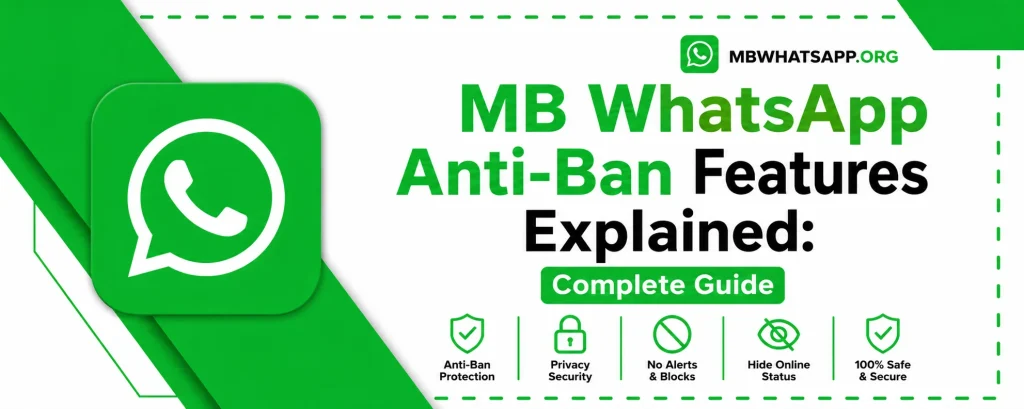
MB WhatsApp Anti-Ban Features Explained: Complete Guide
One of the most common concerns for users of modified WhatsApp clients is the risk of getting banned. MB WhatsApp has addressed this concern by building robust anti-ban technology directly into the application. This comprehensive guide from mbwhatsapp.org explains how the anti-ban system works, what protections are in place, and how you can minimize your risk while enjoying all the features MB WhatsApp has to offer.
Understanding WhatsApp Bans
WhatsApp bans accounts that appear to be using unofficial or modified versions of the application. These bans can be temporary, lasting 24 to 72 hours, or permanent. The detection system works by analyzing specific identifiers sent during communication with WhatsApp servers. When these identifiers do not match known official app signatures, the account gets flagged.
How MB WhatsApp Anti-Ban Technology Works
MB WhatsApp uses a multi-layered approach to prevent detection by WhatsApp’s servers. The core of the anti-ban system involves spoofing key identifiers so that the app appears to behave like the official WhatsApp client during server communications.
- Modified App Signature: MB WhatsApp masks its true identity by presenting a signature that closely mimics the official app
- Encrypted Communication: All data packets are transmitted with the same encryption standards as the official app
- Server Protocol Compliance: The app strictly follows WhatsApp server protocols to avoid any anomaly detection
- Regular Updates: The development team continuously monitors WhatsApp’s detection methods and updates the anti-ban system accordingly
Anti-Ban Settings in MB WhatsApp
MB WhatsApp includes a dedicated anti-ban configuration within its settings. Here is how to access and configure it:
- Open MB WhatsApp on your device
- Tap the three-dot menu in the top right corner
- Select MB WhatsApp Settings from the dropdown
- Navigate to Anti-Ban Settings
- Ensure all anti-ban toggles are enabled
Types of Bans and What Triggers Them
| Ban Type | Duration | Common Trigger |
| Soft Ban | 24–72 hours | Sudden spike in messages sent |
| Temporary Ban | Up to 7 days | Sending bulk messages or using spam features |
| Permanent Ban | Indefinite | Repeated violations or detected spoofing |
Best Practices to Avoid Getting Banned
While MB WhatsApp’s built-in anti-ban features are effective, users can further reduce risk by following these best practices:
- Always use the latest version of MB WhatsApp downloaded from mbwhatsapp.org
- Avoid sending bulk messages or using automated messaging excessively
- Do not forward the same message to hundreds of contacts in a short period
- Keep your anti-ban settings enabled at all times
- Regularly back up your chats so that if a temporary ban occurs you do not lose data
- Avoid using features that mimic bot-like behavior such as auto-reply set to very high frequencies
What to Do If Your Account Gets Banned
If despite all precautions your account receives a ban notice, here are the steps to take:
For Temporary Bans
- Do not attempt to log back in immediately as this can escalate the ban
- Wait for the duration specified in the ban notification
- After the ban lifts, update MB WhatsApp to the latest version from mbwhatsapp.org before logging in again
For Permanent Bans
- You can appeal the ban directly through WhatsApp’s official support channels
- Provide your phone number and explain the situation
- As a precaution, consider using a secondary number with MB WhatsApp going forward
MB WhatsApp Anti-Ban vs Other Mods
| App | Anti-Ban Technology | Update Frequency | Risk Level |
| MB WhatsApp | Advanced multi-layer | Very frequent | Low |
| GBWhatsApp | Basic | Moderate | Medium |
| FMWhatsApp | Moderate | Frequent | Low-Medium |
| YoWhatsApp | Basic | Infrequent | High |
Frequently Asked Questions
Q1: Is the anti-ban protection in MB WhatsApp 100% guaranteed?
No anti-ban system can offer a 100% guarantee, as WhatsApp continuously updates its detection methods. However, MB WhatsApp’s anti-ban technology is among the most advanced available, and keeping the app updated via mbwhatsapp.org significantly reduces risk.
Q2: Does enabling all anti-ban settings affect app performance?
No. The anti-ban settings in MB WhatsApp are lightweight background processes that have no noticeable impact on the performance or speed of the application.
Q3: Can I use MB WhatsApp for my business account without getting banned?
Many users run MB WhatsApp with their business numbers. However, it is advisable to use the anti-ban settings carefully and avoid any bulk messaging behaviors that could trigger WhatsApp’s detection algorithms.
Q4: How does MB WhatsApp get updated to stay ahead of bans?
The MB WhatsApp development team actively monitors WhatsApp’s server protocols and detection methods. Updates are released on mbwhatsapp.org as soon as new anti-ban improvements are ready.
Q5: What should I do right before a major WhatsApp update to protect my account?
Whenever WhatsApp releases a major update, check mbwhatsapp.org for a corresponding MB WhatsApp update. Always update MB WhatsApp within a day or two of major official WhatsApp updates to ensure continued compatibility and anti-ban protection.
Conclusion
MB WhatsApp anti-ban features represent a sophisticated layer of protection designed to keep your account safe while you enjoy extended functionality. By keeping your app updated through mbwhatsapp.org and following the best practices outlined in this guide, you can significantly reduce the risk of encountering any account restrictions.