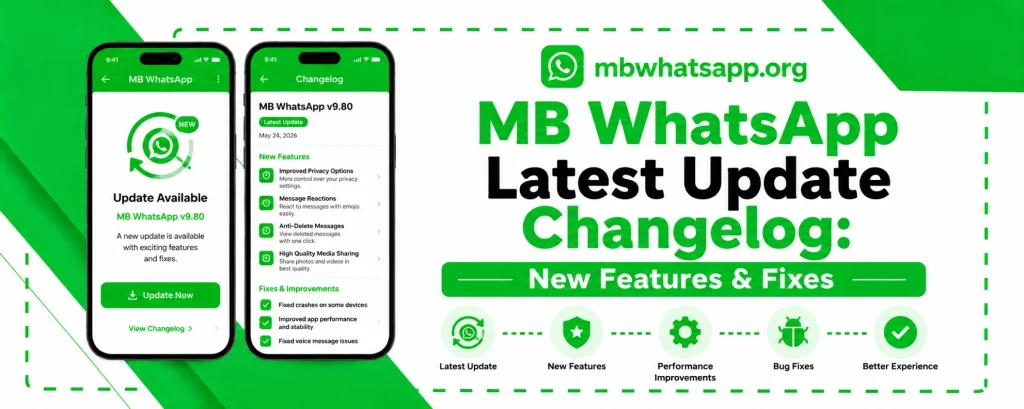
MB WhatsApp Latest Update Changelog: New Features & Fixes
Staying current with MB WhatsApp update ensures you always have access to the newest features, improved stability, and the latest anti-ban protections. This changelog guide from mbwhatsapp.org documents the most significant updates, explains what has changed, and helps you understand why keeping your app current matters.
How MB WhatsApp Updates Work
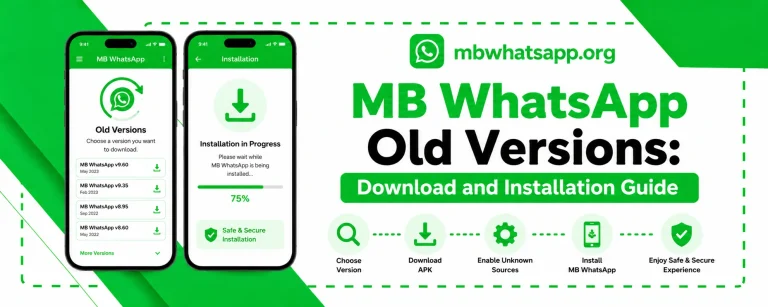
Unlike the official WhatsApp which updates through app stores automatically, MB WhatsApp updates are released as new APK files on mbwhatsapp.org. Users need to manually download and install each update. The development team releases updates in response to WhatsApp’s own changes, user feedback, and security requirements.
2026 Update Highlights
| Version | Key Changes |
| v10.10 | New theme engine with animated themes support |
| v10.15 | Improved Ghost Mode scheduling with time zone support |
| v10.20 | Anti-ban layer updated for latest WhatsApp server changes |
| v10.25 | New media compression options for shared files |
| v10.30 | Group admin tools enhanced with new moderation features |
| v10.35 | New font pack with 50 additional font options |
| v10.40 | Improved message scheduler with recurring message support |
New Features in Recent Versions
Animated Themes
MB WhatsApp now supports animated themes, allowing users to apply dynamic backgrounds and moving elements throughout the interface. The theme library on mbwhatsapp.org has been expanded to include hundreds of animated options.
Enhanced Message Scheduler
The message scheduler has been significantly upgraded. Users can now create recurring scheduled messages, set messages to send in multiple chats simultaneously, and receive reminders before a scheduled message is sent.
Improved Media Sharing
File size limits have been increased and new compression options give users more control over the quality versus file size trade-off when sending videos and images.
Group Management Tools
Group admins using MB WhatsApp now have access to enhanced tools including the ability to slow mode messaging, restrict who can change group details, and view detailed member activity.
Bug Fixes in Recent Updates
- Fixed an issue where Ghost Mode would deactivate after device restart
- Resolved a crash that occurred when opening very large group chats
- Fixed theme corruption issue when switching themes rapidly
- Corrected a bug affecting message delivery in low-connectivity environments
- Resolved notification duplication issue affecting some Samsung devices
- Fixed auto-reply triggering issues when used with message scheduling
Performance Improvements
- App startup time reduced by approximately 20 percent in the latest version
- Memory usage optimized for devices with 2GB RAM or less
- Chat list scrolling made smoother with improved rendering
- Image loading in chats is now faster with progressive loading
How to Get the Latest Update
- Visit mbwhatsapp.org in your phone’s browser
- The homepage displays the latest version prominently
- Compare the displayed version with your current version in MB WhatsApp Settings
- If a newer version exists, download the APK and install it over your current version
Frequently Asked Questions
Q1: How do I check my current MB WhatsApp version?
Open MB WhatsApp, tap the three-dot menu, go to Settings, and then scroll down to find the version number at the bottom of the settings page.
Q2: How often does MB WhatsApp release updates?
MB WhatsApp typically releases updates every few weeks. Major updates coincide with significant WhatsApp server changes or new feature additions.
Q3: Do I need to uninstall to update MB WhatsApp?
No. You can install the new APK directly over the existing installation. Your chats and settings will be preserved without needing to restore from backup.
Q4: What if the latest update causes issues on my device?
If a new version causes problems, you can temporarily roll back to the previous version. Always keep the APK file from your last working version as a safety measure.
Q5: Where is the definitive changelog for MB WhatsApp published?
The official and most detailed changelog for every MB WhatsApp version is published on mbwhatsapp.org with each new release.
Conclusion
Keeping up with MB WhatsApp updates is essential for the best experience. The development team consistently delivers valuable new features, important bug fixes, and critical anti-ban improvements with each release. Visit mbwhatsapp.org regularly to ensure you are always running the most current version.