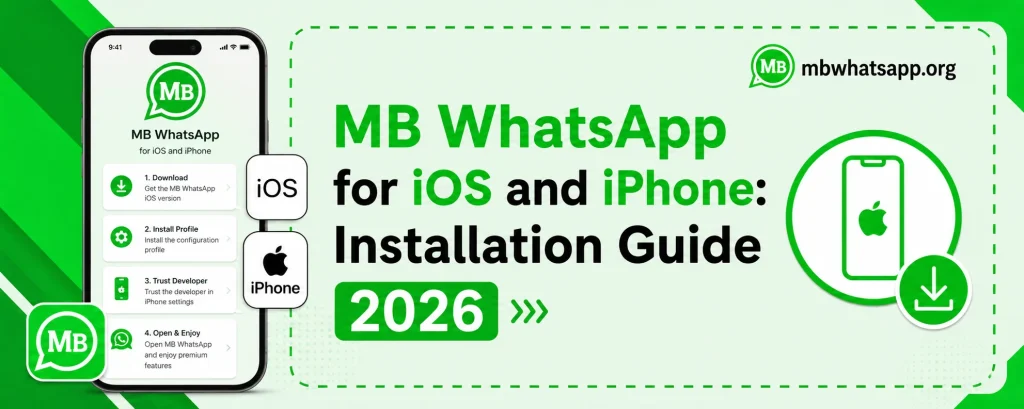
MB WhatsApp for iOS and iPhone: Installation Guide 2026

MB WhatsApp for iOS and iPhone
Many iPhone users ask whether MB WhatsApp is available for iOS. The reality is that MB WhatsApp is primarily developed for Android, and installing it on an iPhone presents unique challenges due to Apple’s strict app ecosystem policies. This guide from mbwhatsapp.org explores every available option for iPhone users who want to experience MB WhatsApp features in 2026.
Why MB WhatsApp on iOS Is Difficult
Apple’s iOS operates under a closed ecosystem that requires all apps to be distributed through the official App Store. Apple does not allow the installation of third-party APK files, which is the format MB WhatsApp uses. Additionally, iOS restrictions prevent apps from being sideloaded without special tools or a developer account.
iOS vs Android: MB WhatsApp Availability
| Platform | MB WhatsApp Status | Method Required |
| Android | Fully supported | APK install from mbwhatsapp.org |
| iOS (with AltStore) | Limited support | AltStore sideloading |
| iOS (with Jailbreak) | Possible | Jailbreak required |
| iOS (standard) | Not directly supported | No standard method |
Option 1: Using AltStore to Sideload on iOS
AltStore is a third-party app installer for iOS that does not require jailbreaking. It uses your Apple ID to sign apps and install them on your device. Here is a general overview of how this approach works:
- Install AltStore on your computer and transfer it to your iPhone
- Connect your iPhone to your computer using a USB cable
- Use AltStore to sign and install compatible IPA files
- Note that AltStore apps require refreshing every 7 days on a free Apple developer account
An IPA version compatible with AltStore may be available through MB WhatsApp development community channels. Check mbwhatsapp.org for any announcements about iOS compatible releases.
Option 2: Jailbroken iPhones
If your iPhone is jailbroken, installing MB WhatsApp or similar modified WhatsApp apps becomes more feasible. Jailbreaking removes Apple’s restrictions and allows unauthorized app installation. However, jailbreaking has significant downsides:
- Jailbreaking voids your iPhone’s warranty
- It can expose your device to security vulnerabilities
- iOS updates often break jailbreaks, requiring users to stay on older iOS versions
- Many banking and security apps refuse to function on jailbroken devices
Option 3: Using an Android Device for MB WhatsApp
The most practical recommendation for users who truly want the full MB WhatsApp experience is to use it on an Android device. If you have access to an Android phone — even a secondary device — you can install MB WhatsApp from mbwhatsapp.org and enjoy all features without any restrictions or workarounds.
iPhone Users: Alternative Privacy Features
If you are committed to using an iPhone and cannot use MB WhatsApp, here are some privacy-focused alternatives available within the iOS ecosystem:
- Use the official WhatsApp’s built-in privacy settings, which have improved significantly
- Disable read receipts in WhatsApp Settings under Privacy
- Use the notification preview feature on iOS to read message previews without opening the app
- Consider privacy-focused messaging apps like Signal for secure communication
Future iOS Support for MB WhatsApp
The MB WhatsApp development community continues to explore ways to bring more features to iOS users. Visit mbwhatsapp.org regularly for updates on any new iOS-compatible releases or installation methods that may become available.
Frequently Asked Questions
Q1: Is there an official MB WhatsApp app for iPhone?
No. As of 2026, there is no official MB WhatsApp app available on the Apple App Store. iPhone support requires alternative installation methods with significant limitations.
Q2: Will sideloading MB WhatsApp on iOS get my Apple ID banned?
Using AltStore with your Apple ID for sideloading apps is against Apple’s terms of service. While rare, Apple could potentially restrict your Apple ID if detected. Proceed with caution.
Q3: Can I use MB WhatsApp features on my iPhone without installing the app?
Some MB WhatsApp features like hiding read receipts have parallels in the official WhatsApp for iOS. However, advanced features like Ghost Mode and custom themes are not available on iOS.
Q4: Does MB WhatsApp have a web version that iPhone users can access?
No. MB WhatsApp does not have a web version. It is a mobile application designed primarily for Android.
Q5: What is the best way to stay informed about MB WhatsApp iOS developments?
Visit mbwhatsapp.org regularly and subscribe to any notification or newsletter options available on the site. Any iOS breakthroughs will be announced there first.
Conclusion
While MB WhatsApp on iOS remains challenging due to Apple’s restrictions, Android users can enjoy the full MB WhatsApp experience by downloading it from mbwhatsapp.org. iPhone users have limited options but can explore sideloading methods or use the enhanced privacy settings available in the official WhatsApp for iOS.