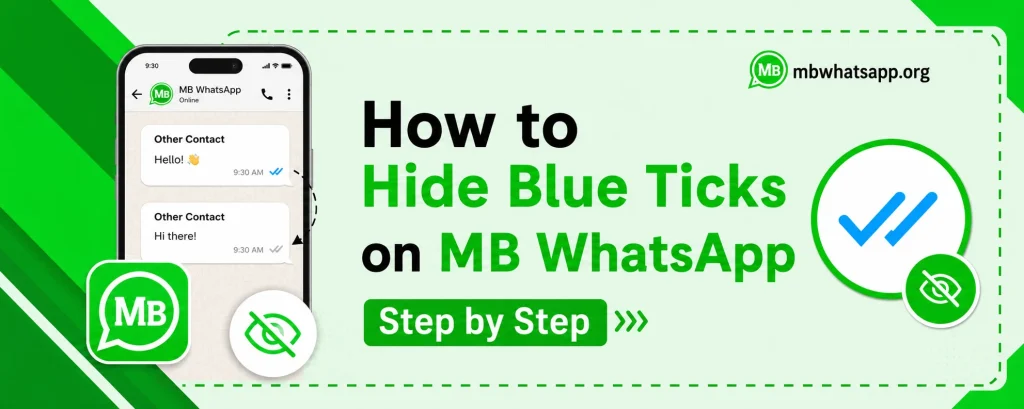
How to Hide Blue Ticks on MB WhatsApp Step by Step
Blue ticks in WhatsApp indicate that the recipient has read your message. While useful in some contexts, they can create social pressure to respond immediately. MB WhatsApp gives users full control over this feature, allowing them to read messages without notifying the sender. This guide from mbwhatsapp.org walks you through every method to hide blue ticks in MB WhatsApp.
Understanding WhatsApp Read Receipts
WhatsApp uses a tick system to communicate message status. A single gray tick means the message was sent. Two gray ticks mean it was delivered to the recipient’s device. Two blue ticks mean the recipient has read the message. MB WhatsApp allows you to control the blue tick at multiple levels.
| Tick Status | Meaning | Can MB WA Hide This? |
| Single gray tick | Message sent | N/A |
| Double gray tick | Message delivered | Yes (hide second tick) |
| Double blue tick | Message read | Yes (main feature) |
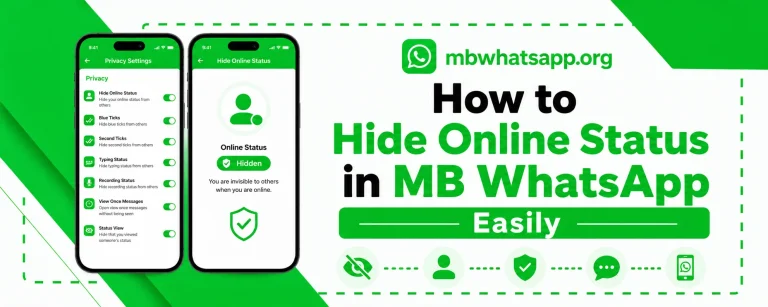
Method 1: Disable Blue Ticks Globally
This method hides blue ticks for all conversations:
- Open MB WhatsApp and tap the three-dot menu
- Select MB WhatsApp Settings
- Navigate to Privacy
- Find Read Receipts or Blue Ticks option
- Toggle it off to disable for all chats
With this setting active, no one will receive a blue tick notification when you read their messages. Note that you will also stop seeing blue ticks when others read your messages, as the system is reciprocal.
Method 2: Hide Blue Ticks for Specific Contacts
If you want more targeted control, MB WhatsApp allows you to disable blue ticks for specific contacts only:
- Go to Privacy settings as described above
- Look for the option to manage read receipts per contact
- Select the contacts you want to hide blue ticks from
- Save your settings
This allows you to maintain read receipts with most contacts while disabling them selectively.
Method 3: Using Ghost Mode
Ghost Mode provides the most complete solution by combining all read indicators into one toggle:
- Go to MB WhatsApp Settings
- Enable Ghost Mode under Privacy
- This disables blue ticks, online status, and typing indicators simultaneously
Ghost Mode is ideal for situations where you need absolute privacy without adjusting multiple settings individually.
Method 4: Reading in Notification Bar
A quick workaround available on all Android devices is to read messages directly from the notification bar without opening the app. However, this method has limitations — it only works for short messages and does not allow you to view images, videos, or long text fully. MB WhatsApp’s built-in settings are a more reliable and complete solution.
How to Hide Blue Ticks in Group Chats
Group chat read receipts in WhatsApp work differently from individual chats. In groups, blue ticks appear when all members have read the message. MB WhatsApp handles group blue ticks as follows:
- Group blue ticks follow the same toggle as individual chat blue ticks
- Disabling blue ticks globally will also apply to group chats
- You can configure this separately for groups in advanced privacy settings
Frequently Asked Questions
Q1: If I hide blue ticks in MB WhatsApp, will the other person know I disabled them?
No. The other person will simply not see blue ticks when you read their messages. There is no notification or indicator that you have disabled read receipts.
Q2: Can I still see blue ticks from others if I disable my own?
When you disable blue ticks in MB WhatsApp, it is a mutual setting — you will not send or receive blue ticks with contacts who also have official WhatsApp. However, if another MB WhatsApp user has their blue ticks enabled, you may still see their status.
Q3: Does hiding blue ticks work in group chats?
Yes. When you disable blue ticks globally in MB WhatsApp, the setting applies to both individual and group conversations.
Q4: Can I temporarily re-enable blue ticks without changing all my settings?
Yes. You can quickly toggle the blue ticks setting on and off from the privacy settings in MB WhatsApp without affecting any other privacy configurations you have set up.
Q5: Is the blue tick hiding feature in the latest MB WhatsApp version?
Yes, this feature is present in all recent versions of MB WhatsApp. Download the latest version from mbwhatsapp.org to ensure you have access to the most updated controls.
Conclusion
Hiding blue ticks in MB WhatsApp is a simple but powerful privacy control. Whether you use the global toggle, contact-specific settings, or Ghost Mode, MB WhatsApp offers flexible options to manage your read receipts exactly how you want. Get the latest version from mbwhatsapp.org and take full control of your messaging privacy today.