MB WhatsApp Privacy Features You Should Know in 2026
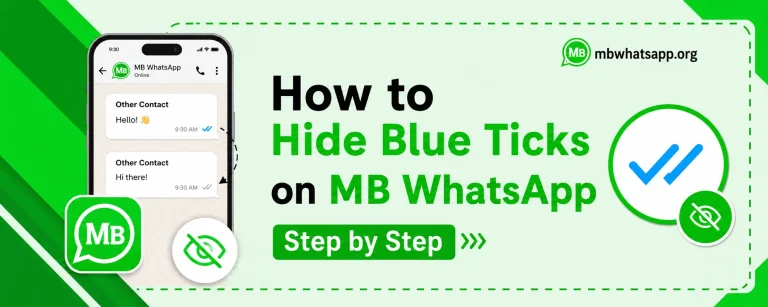
Privacy has become a major concern for messaging app users worldwide. MB WhatsApp addresses these concerns head-on by offering a comprehensive suite of privacy controls that far exceed what the official WhatsApp provides. This guide from mbwhatsapp.org covers every significant privacy feature in MBWhatsApp and explains exactly how to use them in 2026.
Why Privacy Matters in Messaging Apps
When you use a messaging application, you share a significant amount of personal information. Your online patterns, read receipts, and presence indicators all reveal details about your habits and schedule. MB WhatsApp empowers users to control exactly what information is shared and with whom.
Complete Privacy Features List
| Privacy Feature | What It Controls | Available In Official WA? |
| Hide Online Status | Prevents contacts from seeing when you are online | No |
| Hide Blue Ticks | Disables read receipts | Yes (basic) |
| Hide Second Tick | Hides message delivery confirmation | No |
| Hide Typing Indicator | No one sees you typing | No |
| Hide Recording Status | Hides voice note recording indicator | No |
| Ghost Mode | Read messages without any indicators | No |
| Anti-Delete Messages | See messages others delete | No |
| Lock Chats | Password protect individual conversations | Yes (basic) |
| Freeze Last Seen | Show a static timestamp for last seen | No |
How to Hide Your Online Status
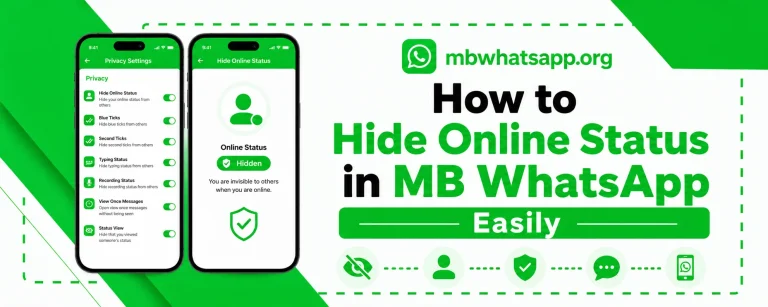
Hiding your online status is one of the most requested features among MB WhatsApp users. Here is how to enable it:
- Open MB WhatsApp and tap the three-dot menu
- Go to MB WhatsApp Settings
- Select Privacy and then Online Status
- Choose to hide from Everyone, Contacts, or specific individuals
Ghost Mode: The Ultimate Privacy Tool
Ghost Mode in MB WhatsApp is a powerful combination privacy setting that activates multiple protections simultaneously. When Ghost Mode is enabled, you can open and read any conversation without triggering any read indicators, online status updates, or typing notifications. Your contacts will have no way of knowing you accessed the chat.
- Enable Ghost Mode from MB WhatsApp Settings under Privacy
- It works on both individual and group chats
- Ghost Mode can be scheduled to activate during specific hours
Freezing Your Last Seen Timestamp
The freeze last seen feature allows you to lock your last seen timestamp to a specific time. Even if you are actively using MB WhatsApp, your last seen will remain frozen at the time you set. This gives you complete control over what others perceive about your activity.
Chat Lock and App Lock Features
MB WhatsApp provides two layers of locking for sensitive conversations:
Individual Chat Lock
- Long press on any conversation in the chat list
- Select Lock Chat from the options menu
- Set a PIN, password, or fingerprint lock
- The chat will require authentication to open
App-Wide Lock
- Go to MB WhatsApp Settings
- Select Privacy and then App Lock
- Choose your preferred authentication method
- Set the lock activation delay
Anti-Delete Messages Feature
One of the most talked-about privacy features in MB WhatsApp is the ability to see messages that other people delete. When someone sends you a message and then deletes it, MB WhatsApp retains a copy in a special section of the chat. You can access these recovered messages at any time.
Who Can See Your Profile
MB WhatsApp allows you to control visibility of your profile photo, status, and about section with more granularity than the official app:
- Set separate visibility for profile photo, about, and status
- Create custom contact lists for each setting
- Block specific contacts from seeing any of your information
Frequently Asked Questions
Q1: Does hiding online status also hide my last seen?
Yes, in MB WhatsApp, when you hide your online status, your last seen is also hidden by default. You can configure these independently if you prefer a different combination.
Q2: Can someone still see my blue ticks if they use the official WhatsApp?
No. When you hide blue ticks in MB WhatsApp, the read receipts are suppressed at the server communication level, meaning the sender’s official WhatsApp app will not receive confirmation that the message was read.
Q3: Is Ghost Mode detectable by the other person?
Ghost Mode is designed to be completely undetectable. The other person will have no indication that you opened or read their messages while Ghost Mode is active.
Q4: Can I lock individual chats without locking the entire app?
Yes. MB WhatsApp allows you to lock specific chats individually without applying an app-wide lock. This is useful for keeping certain sensitive conversations private while keeping the rest of the app easily accessible.
Q5: Where can I find all privacy settings in MB WhatsApp?
All privacy settings are accessible from the three-dot menu in MB WhatsApp. Navigate to MB WhatsApp Settings and then select Privacy to find all available options.
Conclusion
MB WhatsApp’s privacy features in 2026 offer users an unprecedented level of control over their messaging presence. From Ghost Mode to frozen last seen timestamps, these tools allow you to communicate on your own terms. Download the latest version from mbwhatsapp.org to access all the privacy features discussed in this guide.